Using Jev with Hermes to Tag My Books and Documents
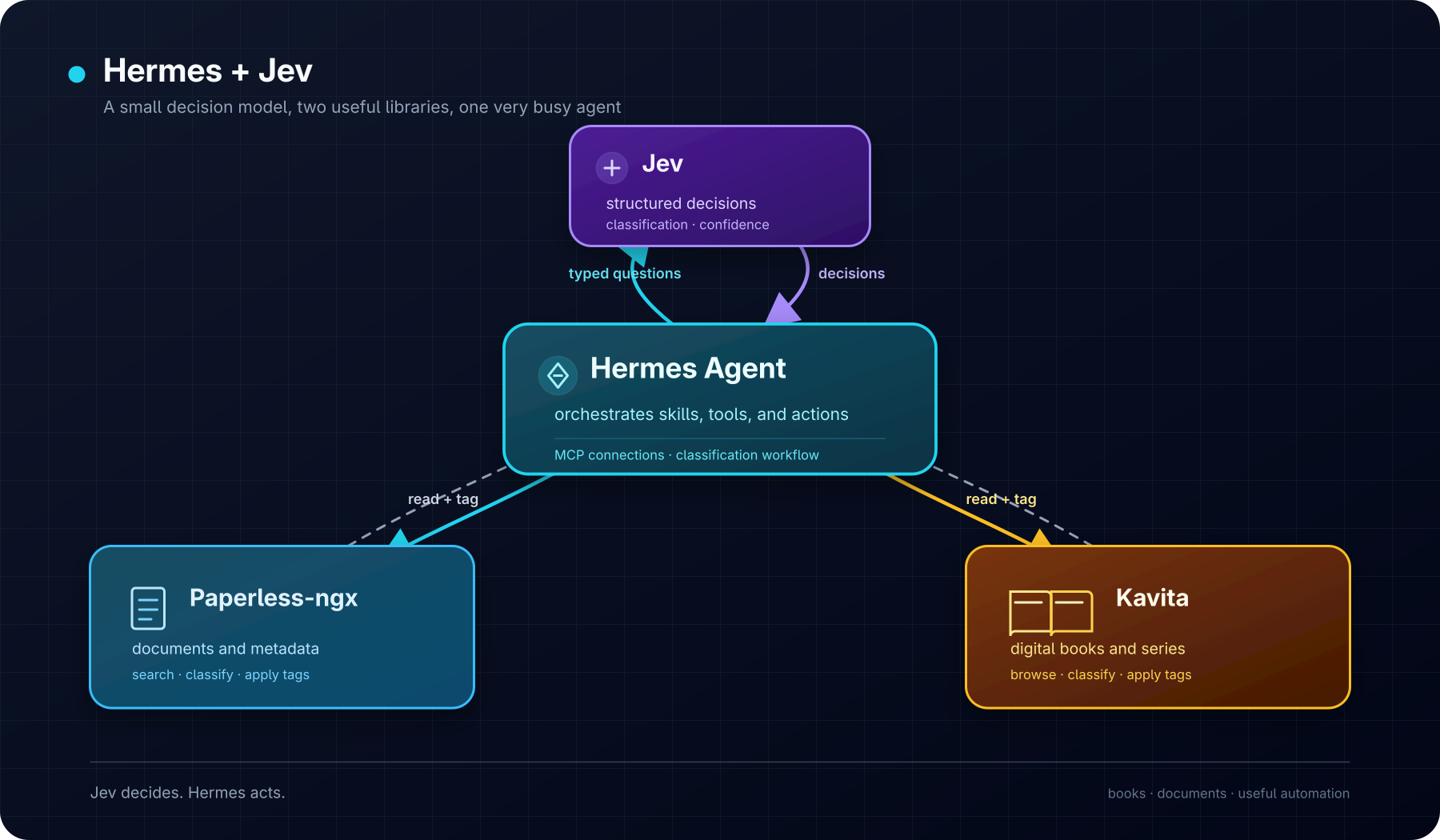
I have been adding more and more things to Hermes. It started as a sysadmin for my homelab, then became a general assistant, and now I am asking it to tidy up my digital libraries. This is how things go, I guess. There was a bit of madness around Jev on the internet today. A model that does not write text suddenly became the thing everyone was talking about. OpenRouter had just made it available, I already use OpenRouter for most of my Hermes models, and I decided to follow the trend. Why not?
Jev is not another chatbot. It takes some state and typed questions, then returns a decision. That sounded useful for classification, so I wanted to try it with Hermes. To add it, I created and run a small local jev-mcp server, registered in Hermes as a local MCP connection. It uses my existing OpenRouter key and exposes Jev's decision tools. I restarted Hermes, the tools appeared, and that was pretty much it.
Behind the scenes, the server sends OpenRouter a state object and a set of typed questions, using the ~typesafe/jev-latest model. Jev returns a choice or a probability instead of a paragraph of text, and Hermes uses that answer in the next step.
The rest was already there. The Paperless-ngx skill knows how to search documents and update tags, while my Kavita integration gives Hermes access to my books. Jev makes the classification decision and Hermes does the rest.
Paperless-ngx first
I asked Hermes to use Jev to classify my Paperless-ngx documents and apply some useful tags. It worked really well. Hermes classified the documents and added the tags, which was exactly what I wanted.
Then Kavita
After that I tried the same thing with my Kavita library. I asked Hermes to inspect the books and use Jev to tag them. It worked the same way, and I did not need to build another workflow for it. Not bad and it did not cost me a fortune! I love this new era of homelabing on steroids - powered by LLMs! Yay!